




I love a good audio setup, but nothing ruins my jam session faster than a sneaky hum. Do RCA noise stoppers work for isolamento do circuito de terra? Yes, they can! I have tried many, but the Isolador de áudio de dois canais - ISO2C always impresses me. Some call it the ISO PRO of noise killers. Not all stoppers are equal, though. I find that quality makes all the difference.
Principais conclusões
RCA noise stoppers help lower ground loop noise. This makes the sound clearer.
Good isolators, like the Musontek ISO2C, remove more noise. They keep the sound quality strong.
Installing RCA noise stoppers is easy. You just plug them between the audio source and the amplifier.
Using balanced connections can cut down noise even more. This helps the sound work better.
Check your cables and connections often. This stops grounding problems from happening.
If noise keeps happening, ask a professional for help. Experts can find and fix hard problems fast.
RCA noise stoppers work in many setups. You can use them in car audio or home theaters.
Buying good equipment and isolators gives you better sound. It also helps your audio gear last longer.
How RCA Noise Stoppers Work
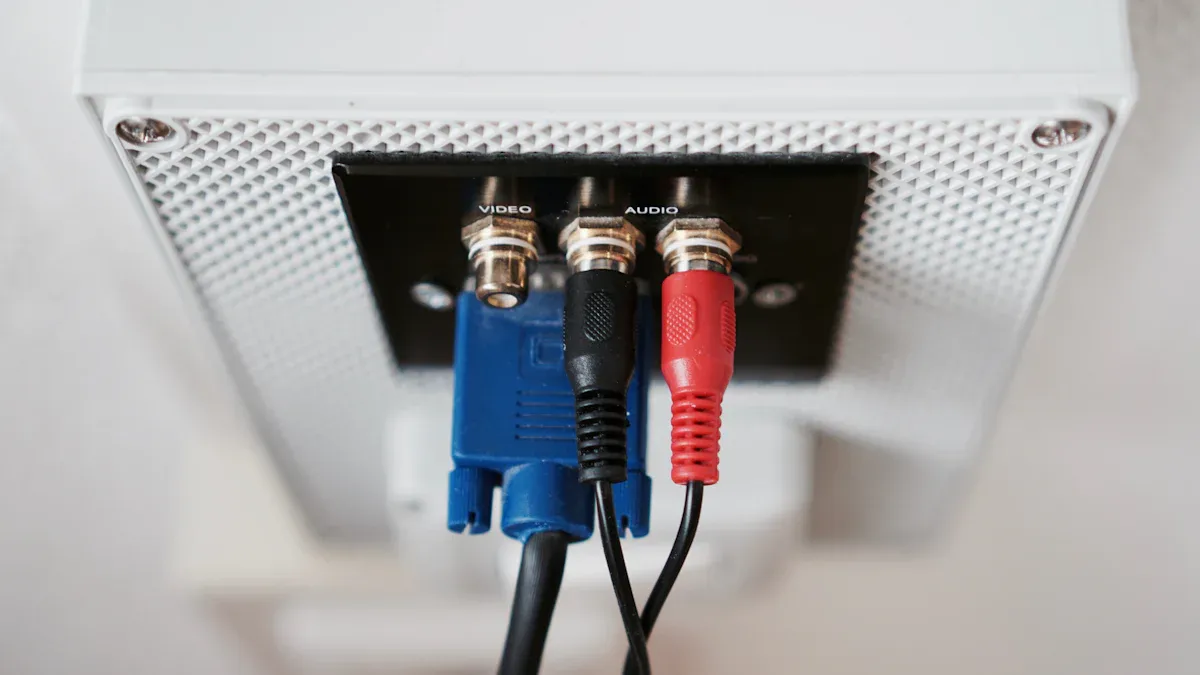
What Are RCA Noise Stoppers
Let me paint a picture. I stare at my audio setup, and I see those little metal plugs covering unused RCA jacks. Those are RCA noise stoppers! They look simple, but they play a big role in keeping my music clean and clear. Here’s what I’ve noticed about their design:
They seal up unused RCA inputs and outputs, so dust and grime can’t sneak in.
The 23-spring internal design gives them a snug fit—no wiggling or falling out.
The dark-chrome finish keeps fingerprints away and looks sharp.
They block out radio and electrical noise (RFI and EMI), which can mess with my tunes.
They even help prevent corrosion, so my gear lasts longer.
I always recommend these to my fellow audiophiles and anyone who wants their system to look and sound its best.
How They Function
Now, let’s talk about the magic. I plug in an RCA noise stopper, and suddenly, that annoying hum or whine disappears. How? These stoppers break the ground loop that causes noise in the first place. I usually place them between my head unit and amplifier. This simple move interrupts the unwanted electrical path, giving me ground loop isolation and peace of mind.
Here’s what I love about using them:
They wipe out engine noise in my car audio system.
They silence that high-pitched alternator whine.
They work with any device that uses RCA connectors.
I don’t have to mess with my existing wiring—just plug and play.
Sometimes, I even notice a tiny boost in signal strength.
When I want the best results, I reach for a high-quality ground loop isolator like the Musontek ISO2C. This little device uses top-notch transformers to keep my audio signal pure, even in tricky setups.
Sugestão: Shielding is key! Good RCA noise stoppers act as a barrier against electromagnetic and radio interference, so my music stays crisp and clear.
Typical Use Cases
Car Audio
I spend a lot of time in my car, and nothing ruins a drive faster than buzzing speakers. I use RCA noise stoppers to cut out engine noise and alternator whine. They’re a lifesaver for anyone who loves road trip playlists.
Home Stereo
At home, my stereo setup has more wires than a plate of spaghetti. I use noise stoppers to keep my sound system free from hum, especially when I connect older gear or lots of devices. My living room concerts sound better than ever.
Studio Setups
When I’m in the studio, I need every note to be crystal clear. Here’s a quick look at where noise stoppers shine:
Contexto de aplicação | Eficácia Descrição |
|---|---|
Aplicações profissionais e de estúdio | Necessita de isoladores de topo para um som nítido e sem ruído de circuito de terra. |
Sistemas de cinema em casa e de consumo | Obtenha melhor som com isoladores, especialmente com muitos dispositivos ou fios antigos. |
Cenários comuns | Os isoladores ajudam a reduzir o zumbido no áudio do computador, no som do carro e em equipamentos antigos. |
I trust devices like the Musontek ISO2C for studio work. They keep my recordings clean and my mixes professional.
Ground Loop Isolation Devices
Effectiveness for Ground Loop Isolation
The first time I set up my speakers, I heard a loud hum. It made my music sound spooky! I found out that ground loop isolation devices can fix this problem. These devices stop the noisy electrical path that causes hum and buzzing. When I use a good isolator, my music sounds clear. I feel much better and less stressed. I always pick devices that really block ground loops, not ones that just cover up the noise.
How Isolation Is Achieved
Transformer-Based Design
Let me explain the secret: electromagnetic transformers. These parts move audio signals with magnetism, not wires. I think of them as tiny wizards inside the device. They work hard to keep noise away from my music. Transformers break the ground loop and stop different ground levels from fighting. My amplifier and speakers get clean sound, and the hum goes away.
Tip: Transformers are like magic bridges. They let music cross but stop the noisy trolls below!
Breaking Ground Loops
I put my isolator between the audio source and amplifier. The device breaks the ground loop, so hum cannot get through. It is easy to use—just plug it in and the noise is gone. My music sounds fresh, and I enjoy every song.
Musontek ISO2C Overview
Dual Channel Support
I love stereo sound. The Musontek ISO2C works with two channels at once. Both left and right speakers stay free from noise. I use it for my home stereo and studio gear. It fits well and works with balanced or unbalanced signals. Here’s what makes it special:
Caraterística | Descrição |
|---|---|
Dual-Channel Support | Works with stereo systems for great sound. |
Noise Elimination | Gets rid of hum and buzz for clean audio. |
Optimal Audio Quality | Connects between source and amp with good cables. |
Easy Installation | Has male and female connectors for simple setup. |
Compatibilidade | Works with many audio devices and handles shaking. |
Funcionamento Plug-and-Play
I do not like messing with settings. The ISO2C is plug-and-play. I just connect it and it works. No batteries, no power cords, and no tricky buttons. I can use it in my car, studio, or at a friend’s house. It is always ready to help.
Audio Quality Preservation
I want my music to sound great. The ISO2C uses studio-grade transformers, so my audio stays sharp and clear. I checked the specs and they are impressive:
Especificação | ISO2C |
|---|---|
🎛️ Channels | Duplo (estéreo) |
🔌 Power Required | Não |
📊 THD | 0,001% @ 1kHz |
📈 Frequency Response | 20Hz-20kHz (±0,3dB) |
🏗️ Construction | Padrão |
I never worry about distortion or losing sound quality. My favorite songs sound just right.
Comparing High-Quality vs. Cheap Isolators
I tried cheap isolators before, and the sound was not good. The music felt dull, and the hum stayed. When I switched to a pro device like the ISO2C, everything got better. The specs show the difference:
Especificação | Grau profissional | Grau de consumo |
|---|---|---|
THD+N | <0,001% @ 1kHz | <0,01% @ 1kHz |
Resposta de frequência | 20Hz-20kHz (±0,3dB) | 20Hz-20kHz (±1dB) |
Gama dinâmica | >130dB | >100dB |
Entrada máxima | +21dBu | +15dBu |
I always pick high-quality ground loop isolation devices. My music sounds best, and my ears are happy!
Limitations
When RCA Noise Stoppers Fail
I remember the first time I plugged in an RCA noise stopper and expected magic. The hum stayed. I scratched my head and wondered what went wrong. Sometimes, these stoppers just don’t fix every problem. I learned that ground loop isolation works best when the setup is simple. If the noise keeps buzzing, something deeper might be causing trouble. Cheap isolators barely make a difference. I tried a bargain one once, and the hum just laughed at me.
Common Issues
Complex Grounding Problems
I dove into my cables and found a jungle of wires. The real trouble often hides in the way things are grounded. I made a table to show what can go wrong:
Issue Description | Explicação |
|---|---|
Improper RCA Cable Grounding | RCA cables need good grounding to block noise. |
Interference from Power Cables | Power and RCA cables running together can create interference. |
Bare Wires Contact | Bare wires touching metal can invite unwanted noise. |
Grounding to Head Unit | Grounding RCA inputs to the head unit chassis helps silence hum. |
I once ran my power and RCA cables side by side in my car. The speakers sounded like a swarm of bees. I separated them, and the buzz faded away.
Compatibilidade de dispositivos
I faced another headache when my gear didn’t play nice together. Here are some common problems I ran into:
Speakers made background noise when I connected RCA outputs to balanced inputs.
Ground loops kept humming, even when I tried ground lift options.
Long cables stretched across my room and picked up extra noise.
I learned that not every device likes RCA noise stoppers. Some setups need special attention.
Temporary vs. Permanent Solutions
I used quick fixes to silence the hum. Sometimes, the noise vanished for a day, then crept back. Cheap isolators gave me a break, but the problem returned. I realized that permanent solutions matter more. I started checking every wire and connection. I made sure my cables were grounded right. I stopped using long, tangled wires. I even asked a friend for help when things got tricky.
Nota: Fixing ground loop isolation means looking beyond the stoppers. I always check my cables, grounding, and device compatibility. Solving the root problem keeps my music clean for good.
I now know that RCA noise stoppers help, but they don’t work alone. I treat them as part of a bigger plan to keep my sound pure.
Alternatives
Other Isolation Devices
Sometimes, I want to try something new. RCA noise stoppers work, but I like to keep my options open. I found other isolation devices that help me fight buzzing, hissing, and static in my audio system. These gadgets work with more than just RCA cables. I use them with my phone, computer, or even my TV. The best part? I don’t need any tools. I just plug them in and enjoy the silence.
Here’s a quick table to show what these devices can do:
Caraterística | Descrição |
|---|---|
Purpose | Eliminates buzzing, hissing, humming, and static in audio systems |
Compatibilidade | Works with 3.5mm aux port, line in/out ports, and various devices |
Installation | No-tool installation, easy to use |
Cost-effectiveness | Provides a solution without needing to replace car stereo |
Utilização adicional | Compatible with TVs, computers, and other devices with a 3.5mm jack |
I once plugged one of these into my old laptop. The annoying hum vanished. My movie night turned into a real theater experience. I didn’t even have to call my techy cousin for help!
Balanced Connections
I love learning new tricks for better sound. Balanced connections are like superheroes for my audio gear. They fight off noise and keep my music clean. I use XLR cables with three wires and a shield. These cables help me avoid ground loop problems. My friend told me that Pass Labs separates signal ground and chassis ground. That sounds fancy, but it just means less noise for me.
Here’s why I trust balanced connections:
They reduce ground loop noise by blocking interference.
Balanced signals stay strong and clear, even over long cables.
I tie the cable screen to the metal chassis at both ends for the best results.
My sound quality jumps up, especially when I use professional gear.
One time, I ran a long cable from my mixer to my speakers. With balanced connections, the sound stayed sharp. No buzz, no hiss—just pure music.
Sugestão: Balanced connections work best when all my equipment is grounded properly. I always double-check my setup before I hit play.
Power Conditioning
I used to think power was just power. Then I learned about power conditioners. These devices give my audio system clean, stable electricity. They kick out unwanted interference and help break ground loops. My music sounds better, and my gear stays safe.
Here’s what I noticed after using a power conditioner:
My speakers stopped humming.
The lights in my studio stopped flickering.
I felt like a real audio pro.
Power conditioners make a big difference, especially in older houses or busy studios. I plug my gear into one, and the magic happens. No more mystery noises. Just smooth, clear sound.
Nota: Power conditioning isn’t just for fancy studios. Even my living room setup sounds better with clean power!
Professional Help
Sometimes, I reach the end of my rope. I have tried every trick in the book. I have swapped cables, moved wires, and plugged in every isolator I own. The hum still laughs at me. That’s when I call in the pros. I used to think asking for help meant I failed. Now, I know it means I want my music to sound amazing.
I remember the first time I called an audio technician. My living room looked like a spaghetti factory exploded. Cables everywhere. My speakers buzzed like angry bees. I felt lost. The technician walked in, took one look, and grinned. He pulled out a tiny flashlight and a fancy meter. He poked around, asked me questions, and nodded a lot. In less than an hour, he found a sneaky ground loop hiding behind my TV stand. He fixed it with a special tool I had never seen before. The hum vanished. I almost hugged him.
Sugestão: If you feel stuck, don’t sweat it. Audio pros have seen it all. They know every trick and tool. Sometimes, they fix problems in minutes that would take me days.
Here’s what I learned about getting professional help:
Pros bring special tools. I saw meters, testers, and gadgets I didn’t know existed.
They spot problems fast. Years of experience help them find issues I miss.
They give advice. I got tips on cable placement, grounding, and even speaker setup.
They save time. I spent hours guessing. The pro solved it in one visit.
I made a table to show when I call for help:
Situation | My DIY Success | Pro’s Magic Touch |
|---|---|---|
Simple hum in car audio | ✅ | – |
Buzz in home theater with old gear | ❌ | ✅ |
Studio setup with lots of devices | ❌ | ✅ |
Mysterious noise after upgrades | ❌ | ✅ |
Sometimes, the problem hides deep in the walls or inside the gear. I can’t fix what I can’t see. That’s when a pro shines. They check every connection, test every cable, and even look at my power outlets. I once watched a technician crawl behind my couch with a flashlight in his mouth. He found a loose ground wire and fixed it with a twist. The silence after the fix felt magical.
Nota: Don’t let stubborn noise ruin your music. If you feel frustrated, call a pro. Your ears will thank you.
I learned that professional help is not just for big studios. Even my little living room setup got the royal treatment. Now, I enjoy my music without any buzzing or humming. Sometimes, the best fix is letting an expert work their magic.
Troubleshooting Tips
Identify the Source
I always start my noise hunt with my ears. That hum or buzz? It tells me where to look. I play my favorite song and listen closely. If the noise changes when I touch a cable or move a device, I know I’m getting warmer. Here’s my go-to checklist for tracking down the troublemaker:
Listen for the noise and try to pinpoint which device or cable causes it.
Disconnect all extra devices, leaving only the amplifier and speakers connected.
Check every wire and connection for damage or looseness.
Remove and reconnect each device one at a time. The noise will usually show up when the guilty gear plugs in.
If the noise sticks around, I move my setup to another room. Sometimes, the problem hides in the walls!
Sugestão: I always keep my cables neat and separated. Tangled wires love to invite noise to the party.
Step-by-Step Fixes
Once I find the source, I roll up my sleeves and get to work. Here’s my step-by-step plan for kicking ground loop noise out of my system:
Check all ground connections. I make sure every ground wire is tight and clean.
Plug in a ground loop isolator. I reach for my Musontek ISO2C because it never lets me down.
Try re-grounding the amplifier. Sometimes, a new ground spot works wonders.
Reroute my RCA cables. I keep them away from power wires to dodge interference.
Inspect every component. If I spot a frayed cable or rusty connector, I swap it out.
I also follow some pro tips I picked up from audio engineers:
Ground all my gear at one shared spot. This keeps electrical gremlins away.
Use balanced cables like XLR when I can. They fight off noise like superheroes.
Teach my friends about good cable habits. Fewer tangles, fewer problems!
Nota: If I still hear noise after all this, I know my ground loop isolation game needs a boost. That’s when I double-check my setup and make sure I’m using the best isolator available.
When to Upgrade Equipment
Sometimes, no amount of tinkering can save old or stubborn gear. I learned to spot the signs that it’s time for an upgrade:
Problem Sign | My Solution |
|---|---|
Persistent hum or buzz | Upgrade to a high-quality isolator |
Damaged or old cables | Replace with new, shielded cables |
Outdated audio devices | Invest in modern, noise-resistant gear |
No improvement after fixes | Consider professional help |
If my trusty Musontek ISO2C can’t silence the noise, I know it’s time to retire that ancient amp or those bargain-bin cables. Upgrading my equipment not only solves the noise but also makes my music sound better than ever.
🎵 I always say, “Happy ears, happy life!” Clean sound is worth every penny.
I have dealt with hums and buzzing sounds before. RCA noise stoppers help stop ground loop noise, especially if I use a good one like the Musontek ISO2C. Here is what a high-quality isolator gives me:
Benefício | Descrição |
|---|---|
Redução de ruído | Gets rid of hum and noise for better sound |
Audio Quality Preservation | Keeps music and movies sounding right |
Equipment Protection | Stops damage to audio gear, so it lasts longer |
But I always remember a few things: Quick fixes help for now, but fixing the real problem works best. Sometimes, fixing wires or using balanced cables is better than any device. I like that passive isolators keep my music clear.
Audio experts and users both say RCA noise stoppers are a smart and cheap way to make sound better. If noise comes back, I check my setup, try other ideas, and keep enjoying my music. Have fun listening! 🎶
FAQ
What is a ground loop?
I call it the sneaky villain of audio. A ground loop happens when two devices connect to different ground points. This creates a buzzing or humming noise. My ears hate it!
Can RCA noise stoppers fix all audio noise?
Nope! I wish they could. RCA noise stoppers work best for ground loop hum. If I hear crackling, static, or pops, I look for other problems.
Do I need special tools to use the Musontek ISO2C?
No tools needed! I just plug it in and let it work its magic. It’s truly plug-and-play. Even my grandma could use it.
Will an isolator lower my sound quality?
Not with a good one! The Musontek ISO2C keeps my music crisp and clear. I never notice any loss in sound. My tunes stay sharp.
Can I use the ISO2C in my car and at home?
Absolutely! I use mine everywhere—car, living room, even my friend’s garage. It works with any device that uses RCA connections.
Como é que sei se tenho um problema de circuito de terra?
If I hear a steady hum or buzz that changes when I unplug something, I probably have a ground loop. My trick? I unplug devices one by one and listen for the noise to stop.
What should I try if the noise doesn’t go away?
I double-check my cables, try moving wires, and use a high-quality isolator. If the hum still laughs at me, I call in a pro. Sometimes, fresh ears and fancy tools save the day!



