



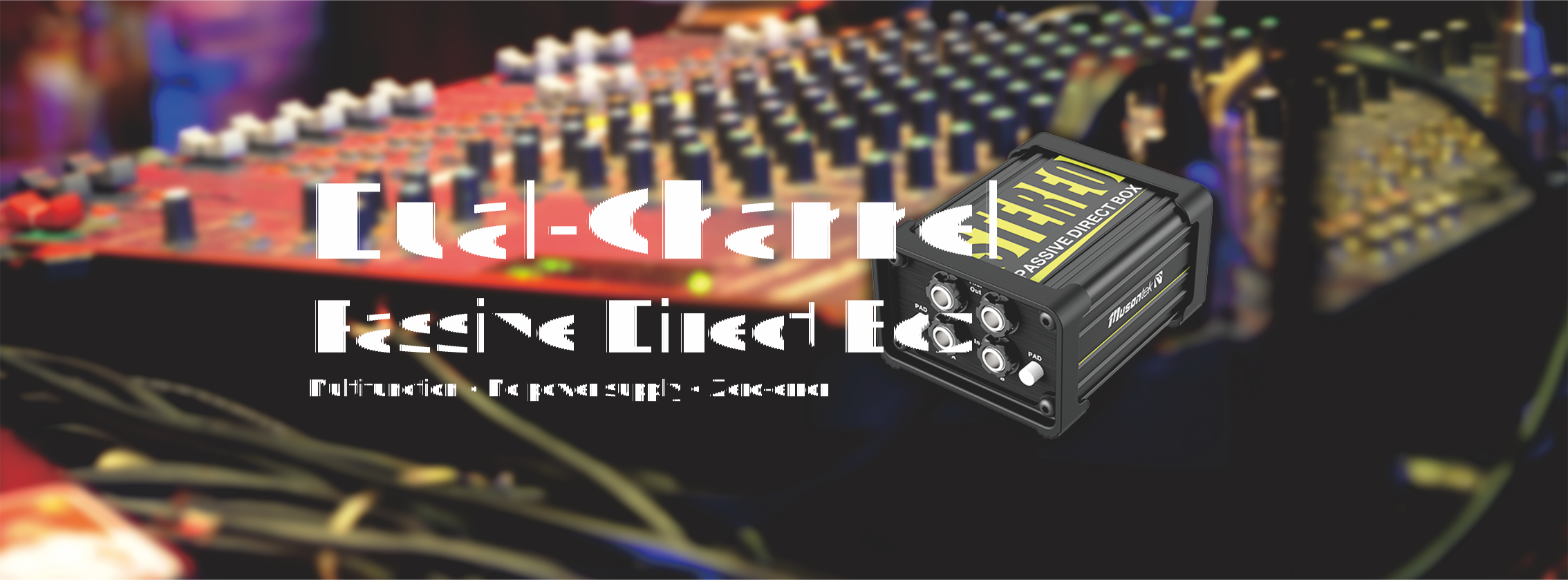
Musicians should utilize the ground lift switch found on a DI box to eliminate annoying hums and noise. Recent studies indicate that this switch effectively blocks ground loops—thereby eliminating unwanted noise in the audio system—by disconnecting the ground connection. As a simple rule of thumb: initially, set the ground lift switch to the “On” position. If a hum subsequently appears, then try switching it to the “Off” position. At all times, ensure that the audio quality remains clear, and always remember: safety comes first.
要点
- Please begin by setting the ground switch to the “ON” position to ensure a clear and safe audio signal. If you detect any humming or electrical noise, switch the ground switch to the “OFF” position to eliminate ground loops and reduce noise. Before using the ground switch, please be sure to verify all connections to ensure proper audio signal transmission and adequate signal strength. Once your equipment setup is complete, we recommend experimenting with both modes of the ground switch to determine which setting yields the best audio quality for your system. Please always prioritize safety; ensure that all equipment is properly grounded before using the ground switch.
DI Box Ground Switch

What the Ground Switch Does
The ground lift switch plays a pivotal role in a DI box. This switch helps musicians and audio engineers control unwanted noise within an audio system. When utilizing a direct input, the ground lift switch can disconnect Pin 1 of the XLR connector. This action isolates the signal ground from the chassis ground. In doing so, the switch prevents ground loops—electrical loops that typically result in audible hums or hisses.
Musontek prioritizes clarity and innovation in the design of every DI box they produce. The team understands that pristine audio is paramount for every musician. Consequently, they have equipped their units with a ground lift switch to help users quickly resolve common noise-related issues.
Different brands of DI boxes implement ground lift switches in various ways. Most DI boxes feature this switch specifically to eliminate noise caused by ground loops. Some models also come equipped with attenuation pads or built-in preamplifiers; these additional features provide users with even greater control over their sound.
Tip: Before engaging the ground lift switch, always verify all your connections. Secure connections help minimize noise and preserve the integrity of the audio signal.
Why Ground Lift Matters
The ground lift switch is crucial for both passive and active DI boxes. In passive DI boxes, the switch is essential for eliminating hum. In active DI boxes, it also contributes to enhanced signal clarity. The ground lift switch functions by interrupting the ground connection, thereby reducing unwanted audio interference.
By simply toggling the ground lift switch, users can often resolve persistent noise issues. For unbalanced line outputs plagued by hum, using a passive DI box equipped with a ground lift switch can effectively eliminate the noise. A quick flip of the switch can resolve many problems without the need to swap out other equipment.
Musontek is dedicated to crafting audio tools that solve real-world problems. The ground lift switch is a prime embodiment of this philosophy, providing users with a simple yet effective method to achieve clear, professional-quality audio in any environment.
Choosing the DI Box Ground Switch Setting
When to Use Ground On
When setting up a DI box, musicians typically leave the ground lift switch in the “On” (or connected) position. This setting connects the signal ground to the chassis ground, helping to maintain the stability and safety of the audio system. Most users find that this setting works perfectly in studio environments or in situations where no audible hum or hiss is present.
When a guitar is connected to a DI box, engaging the ground switch helps maintain a clean signal path and protects the equipment from electrical faults. Musontek recommends enabling this setting in most situations, particularly when users are setting up the DI box for the first time.
Note: Once the DI box is set up, be sure to check for any humming or noise. If the audio remains clean, keep the ground switch engaged.
When to Use Ground Off
Occasionally, musicians may notice an annoying hum or hiss after connecting a DI box. This noise typically stems from a ground loop. In such instances, flipping the ground switch to the “off” position can resolve the issue. The ground switch effectively disconnects the signal ground from the chassis ground. This action breaks the loop and eliminates the noise.
Users should bear in mind that lifting the ground carries inherent risks. In the event of a malfunction, the device chassis could become live (electrically charged), posing a risk of electric shock. This danger is significantly heightened in live performance environments. Modern professional audio equipment typically incorporates a safety ground connection for the chassis; disconnecting this ground exposes the user to potential hazards.
- Risks of lifting the ground:
- The chassis may become live in the event of a fault.
- Risk of electric shock.
- Increased danger in live performance settings.
Musontek DI box models are designed to help users set up their equipment safely. They recommend that musicians utilize the ground switch only when absolutely necessary. Before engaging the ground switch, it is imperative to verify that the amplifier and all other connected equipment are properly grounded.
Testing for Best Sound
Musicians should test both positions of the ground switch to determine which yields the best sound quality. Once the DI box is connected, listen carefully for any audible hum or hiss. If the noise disappears after engaging the ground switch, that setting is likely the superior choice. Conversely, if the audio remains clean with the ground switch in the “on” position, that setting should be maintained.
The ground switch serves to improve the signal-to-noise ratio within a professional audio system. By isolating the ground path, it effectively reduces hum and electromagnetic interference. This isolation mechanism helps musicians achieve a clear, robust audio signal.
Tip: After connecting your DI box, test both settings. Listen carefully and select the position that delivers the cleanest sound.
Musontek firmly believes that every musician deserves a clear and safe recording environment. Their DI box products are designed to simplify the setup process and help users effortlessly identify the optimal ground switch setting. Musicians can rely on Musontek to help them achieve professional-grade recording results—every time.
Troubleshooting Ground Issues

Identifying Ground Loops
Musicians often encounter a low-frequency hum or hiss emanating from their audio systems. This unwanted noise is frequently caused by a ground loop. To identify a ground loop, you can follow these steps:
- Check to ensure that all audio equipment is plugged into the same power outlet. This helps prevent ground potential differences.
- Utilize the ground lift switch on your DI box. This switch isolates the signal ground from the chassis ground, thereby eliminating unwanted noise.
- Try using a ground loop isolator. This device severs the ground connection while preserving the clarity of the audio signal.
Tip: If the hum disappears when using the ground lift switch, a ground loop is likely the cause.
ステップ・バイ・ステップの修正
Musicians can resolve ground loop issues by following these simple steps:
- Unplug the power cords from all audio and video equipment within your system.
- Plug in one device at a time. After connecting each device, listen carefully for any humming or hissing sounds.
- Identify the specific device that is generating the noise.
- Check whether that device is utilizing a different power outlet or ground point than the others.
- Strive to ensure that all equipment shares a common ground reference point.
Some experts recommend using an isolation transformer near the noisy device. Connect the device’s output cable to the transformer, and then connect the transformer’s output to your amplifier or speakers. For best results, use balanced cables and route them away from any power cords.
Note: Keeping a record of your setup and tests can help solve future problems faster.
Other Noise Sources
Not all noise originates from ground loops. Other sources include faulty cables, poor connections, or interference from nearby electronic devices. Musicians should inspect their cables for damage and replace them if necessary. They should also route audio cables away from power cords and wireless equipment. Use a ground tester to verify that the grounding is adequate. For outdoor setups, soil conditions and moisture levels can affect ground connections.
Tip: Regular inspections and proper cable management keep your audio system running cleanly and smoothly.
Ground Switch Tips
Live Sound Advice
During live performances, musicians may encounter numerous unexpected situations. They must set up their equipment carefully to avoid noise interference. Musontek equips every DI box with special features to ensure crystal-clear sound on stage. The ground lift switch and isolated XLR connectors help eliminate ground loop noise, while custom-designed audio transformers preserve signal purity. Musontek utilizes rugged steel enclosures and thick protective guards to shield internal switches. These features allow musicians to focus on their performance rather than troubleshooting technical issues.
Tip: Place the DI box on a flat, stable surface. Non-slip rubber pads prevent sliding and help minimize vibrations.
Studio Recording Advice
Recording studios demand absolute silence. Every Musontek DI box features high-quality switches and robust circuit boards. These components effectively block radio frequency interference, ensuring pristine audio quality. Before recording, musicians should inspect all cables and ensure that audio lines are routed away from power cords to prevent interference. Experimenting with both positions of the ground lift switch helps identify the setting that yields the best sound quality. Musontek’s design allows users to quickly adjust settings without risking damage to the equipment.
| 特徴 | 説明 |
| GND リフトシフター | Stops ground loop noise |
| Isolated XLR connectors | Reduce noise from ground problems |
| Custom audio transformer | Keeps signal clean and free from hum |
| Military spec PC board | Blocks radio noise |
| High grade switches | Last longer and work better over time |
| 14-gauge steel I-beam | Makes the box strong and hard to break |
| Protective ‘book cover’ | Shields switches and connectors from damage |
| No-slip rubber pad | Stops shocks and keeps the box in place |
Safety Reminders
Safety always comes first. Musicians must ensure that all amplifiers and equipment are properly grounded. Both the U.S. National Electrical Code (NEC) and the European Union’s Low Voltage Directive (LVD) mandate the necessity of safety grounding. These regulations are designed to protect individuals from electric shock. Musontek’s DI boxes are designed in compliance with these regulations, utilizing robust components and secure connection methods.
| Region | Regulation | Requirement |
| United States | National Electrical Code (NEC) Article 250 | Mandates intact safety grounding |
| European Union | Low Voltage Directive 2014/35/EU | Requires equipment to maintain protective grounding |
Note: Never remove the safety ground connection from any piece of equipment. Before using a Ground Lift switch, always verify that a proper ground connection is established.
Musicians should follow these simple tips when using the Ground Lift switch on a DI box:
- Start with the Ground Lift switch in the “off” (grounded) position. This helps ensure safety and a clean signal path.
- Experiment with both switch positions to determine which one yields the best sound quality.
- Use balanced cables and ensure the cable shielding is connected to the chassis ground.
- If an unbalanced connection is unavoidable, use a transformer to improve signal integrity.
- Use the Ground Lift switch only when it is absolutely necessary.
Musontek’s DI boxes are designed to deliver pristine audio quality and offer a range of innovative features:
| 特徴 | What It Does |
| グラウンド・リフト・スイッチ | Takes away ground loops so the audio is clean. |
| 位相反転スイッチ | Fixes phase problems for a balanced sound. |
| Attenuation Switch | Stops loud instruments from making the sound messy. |
Testing your setup often helps keep everything safe and free from noise.
よくあるご質問
What is the purpose of the Ground Lift switch on a DI box?
The Ground Lift switch disconnects the signal ground from the chassis ground. This action helps eliminate humming and hissing caused by ground loops. Musicians use this switch to achieve a cleaner sound.
Is it safe to use the Ground Lift switch during live performances?
Musicians should always ensure that all equipment is properly grounded. While the Ground Lift switch helps reduce noise, safety must always come first. Never remove the main safety ground connection from any piece of equipment.
How can I tell if a ground loop is causing noise?
- Listen carefully for a steady hum or hiss.
- Try engaging the Ground Lift switch.
- If the noise stops, it indicates that a ground loop was the source of the problem.
Can a DI box resolve all types of noise issues?
| Noise Type | DI Box Solution |
| Ground Loop | Yes, use ground lift |
| Cable Fault | No, replace cable |
| Radio Interference | Sometimes, use shielded cables |
Musontek recommends checking all parts of the audio system for best results.



