



You want your bass to sound clear and powerful, right? Start by boosting the lows, cutting muddy mids, and adding a touch of highs for extra clarity. Using an equalize pedal like the ムソンテック レミオーデル gives you control over your tone.
-
The Remeowdel helps you shape your sound, adding depth to low notes and reducing muddiness.
-
It brings out a richer, more detailed bass tone, making every note stand out.
-
Many players notice how it lifts the veil off their amp, revealing a transparent and lively sound.
Simple EQ effects can make your bass shine. You can achieve great tone with just a few easy tweaks.
要点
-
Boost the lows on your EQ pedal to add fullness and warmth to your bass sound.
-
Cut muddy mids to enhance clarity and help your bass stand out in the mix.
-
Add highs for extra detail and definition, but avoid overdoing it to prevent harshness.
-
Start with flat settings on your EQ pedal to understand your bass’s natural tone before making adjustments.
-
Trust your ears when adjusting EQ settings; small changes can lead to significant improvements in your sound.
EQ Pedal Basics
What Is an Equalize Pedal?
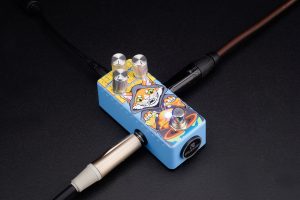
You might wonder what an equalize pedal does for your bass. This handy device lets you shape your sound by boosting or cutting certain frequencies. If you want your bass to sound deeper, clearer, or punchier, an equalize pedal gives you the power to make those changes. The Musontek Remeowdel is a great example. It’s a 3-band pedal, which means you can control lows, mids, and highs with simple knobs. You get more control over your tone, whether you play at home or on stage.
How a 3-Band EQ Works
A 3-band EQ splits your sound into three main parts: low, mid, and high frequencies. You can turn each knob to boost or cut that part of your sound. Want more thump? Turn up the lows. Need less muddiness? Cut the mids. Want your notes to pop? Add some highs. The Remeowdel makes this easy. Each band can boost or cut up to 15 dB, so you can make big changes or just tweak your tone a little.
Tip: Start with all knobs at noon. Listen to your bass, then adjust each band one at a time.
Why Use an EQ for Bass?
Using an equalize pedal helps your bass fit better in any mix. You can fix problems like boominess or muddiness with a few quick adjustments. High-quality pedals like the Remeowdel use analog circuitry, which gives your bass a rich, natural sound. True bypass keeps your signal clean when the pedal is off. Extra headroom means your sound stays clear, even if you play loud.
Here’s a quick look at features you’ll find in top EQ pedals:
|
特徴 |
説明 |
|---|---|
|
Number of Bands |
Lets you control different parts of your sound. |
|
Cut/Boost Capability |
Helps you shape your tone to match your style. |
|
ビルド・クオリティ |
Stays strong for gigs and practice. |
|
周波数範囲 |
Covers deep lows and crisp highs. |
|
Master Volume Control |
Adjusts your overall sound easily. |
|
Memory Presets |
Saves your favorite settings for quick changes. |
|
Constant-Q Design |
Keeps other frequencies steady when you adjust one band. |
You get more than just control. You get a pedal that makes your bass sound its best every time you play.
Setting Up Your Equalize Pedal
Getting your bass to sound great starts with a good setup. Let’s walk through each step so you can dial in a powerful, clear tone using your equalize pedal. The Musontek Remeowdel makes this process simple with its three easy-to-use knobs for lows, mids, and highs.
Start With Flat Settings
Begin by setting all the knobs on your equalize pedal to the middle position. This is called a “flat” setting. You’ll usually find this at 12 o’clock on the dial. Starting flat gives you a clean slate, so you can hear your bass without any changes.
-
Set the bass, mid, and treble knobs to the center.
-
Make sure your bass guitar’s volume is turned up to 100%.
-
Listen to your sound before making any adjustments.
Tip: Always start with flat settings. This helps you hear what your bass and amp really sound like before you shape your tone.
Boost Lows for Fullness
Want your bass to feel thick and powerful? Use the low knob on your equalize pedal to boost the bottom end. Turning up the lows adds warmth and fullness, especially in the 40-80Hz range. You’ll feel the bass more in your chest, and your notes will sound bigger.
-
Turn the low knob up slightly to add body.
-
If your sound gets too boomy, try cutting a bit around 100Hz.
-
Adjust slowly and listen for the sweet spot where your bass feels strong but not muddy.
Note: Boosting lows makes your bass sound full, but too much can cause muddiness. Find the balance that works for your music.
Cut Muddy Mids
Sometimes, bass can sound muddy or unclear. This usually happens in the low-mid frequencies, around 240Hz and below. Use the mid knob on your equalize pedal to cut these frequencies. Cutting here helps your bass stand out and keeps your mix clean.
-
Turn the mid knob down a little to reduce muddiness.
-
Listen for a cleaner, tighter sound.
-
If your bass starts to sound thin, bring the mids back up a bit.
Tip: Cutting muddy mids helps your bass fit better with drums and guitars. Try soloing your bass, then listen in the full mix to check your changes.
Add Highs for Clarity
If your bass sounds dull or gets lost in the mix, add some highs. The high knob on your equalize pedal boosts upper-mids and treble, making your notes clearer and more defined. This helps your bass cut through other instruments.
-
Turn the high knob up slightly for more clarity.
-
Boosting highs brings out the attack and detail in your playing.
-
Don’t overdo it—too much treble can make your sound harsh.
Note: Adding highs helps your bass sparkle, but keep it smooth. Listen with headphones or a subwoofer to catch all the details.
Adjust Output and Volume
Once you’ve shaped your tone, check your overall volume. The Musontek Remeowdel has plenty of headroom, so your sound stays clear even when you play loud. Make sure your output level matches the rest of your band or recording setup.
-
Use the pedal’s master volume to set your final level.
-
Play both solo and with the full mix to make sure your bass sits right.
-
If you hear distortion or clipping, lower the output or adjust your EQ settings.
Tip: Mix with your ears, not just your eyes. Listen carefully and make small changes until your bass sounds just right.
Here are some practical tips to maximize headroom and clarity:
-
Listen to your bass both solo and in the full mix.
-
Use headphones or a subwoofer to hear low-end details.
-
Try a high-pass filter to control sub-bass and avoid distortion.
-
Add a low-pass filter if you want to remove extra highs and keep your sound focused.
With these steps, you’ll get the most out of your equalize pedal and enjoy a bass tone that’s full, clear, and ready for any gig or recording.
Key Frequency Ranges
Understanding how each frequency range shapes your bass sound helps you get the tone you want. Let’s break down what happens in each range and how you can use your EQ pedal to control them.
Sub-Bass (20-60 Hz)
Sub-bass gives your music that deep, rumbling feel. You don’t really hear these frequencies—you feel them. When you boost this range, your bass gets more power and depth. This is where you create that chest-thumping sensation in a song. If you add too much, though, your mix can get muddy or overwhelming.
Tip: Use sub-bass to add weight, but keep it balanced so your sound stays clear.
Bass (60-250 Hz)
This range holds the main body of your bass sound. Most of the punch and warmth live here. Boosting between 100-180 Hz makes your bass punchier. If you want more fullness, try boosting around 140-225 Hz. Be careful—too much in this area can make your sound boomy or muddy.
-
Boost for punch and warmth.
-
Cut if your mix sounds too thick or unclear.
Low Mids (250-500 Hz)
Low mids add body to your bass, but too much can make things sound boxy or muffled. If your bass feels like it’s lost in the mix, check this range. Cutting a bit here can clear up your sound and help other instruments stand out.
Note: Balance is key. Too many low mids can ruin clarity.
High Mids (500 Hz-2 kHz)
High mids bring out the character and definition in your bass. This range holds most of the harmonics that make your playing unique. Boosting here helps your notes pop and become more recognizable. If you go too far, though, your sound might get harsh.
-
Use high mids for clarity and personality.
-
Don’t overdo it to avoid harshness.
Treble (2 kHz+)
Treble adds sparkle and attack to your bass. Boosting from 2 kHz up makes your notes clearer and helps your playing cut through the mix. This is great for slap bass or when you want every note to stand out. Too much treble can sound sharp or tiring to the ears.
|
Instrument Type |
Fundamental Range |
Harmonics Range |
|---|---|---|
|
4-string Bass |
41Hz-392Hz |
~4kHz-5kHz |
|
5-string Bass |
31Hz-392Hz |
~4kHz-5kHz |
|
6-string Bass |
31Hz-523Hz |
~4kHz-5kHz |
🎸 Try small changes in each range. Listen closely and trust your ears!
Troubleshooting Bass EQ Issues
Getting your bass to sound just right can be tricky. Sometimes you run into problems like boominess, muddiness, thin sound, or harsh highs. Let’s look at how you can fix these common EQ issues.
Fixing Boominess
Boominess makes your bass sound too heavy or overwhelming. You might feel the low end rumble too much. To fix this, try these steps:
-
Lower the first two bands on your EQ pedal, especially the first band. This helps reduce subsonic frequencies.
-
Drop the 125Hz slider a few dB. This can tame the boomy quality without making your bass feel empty.
-
Use a high-pass filter to clean up the lowest frequencies.
-
Try a multiband compressor to smooth out the lows if you play with palm muting.
Tip: Use a frequency analyzer to spot where the boominess happens. Adjust your EQ until the bass feels tight and controlled.
Reducing Muddiness
Muddiness makes your bass sound unclear or messy. It often hides the details in your playing. Here’s what you can do:
-
Cut frequencies between 150Hz and 450Hz. This is where muddiness usually lives.
-
Use a bell-style filter to target problem spots. Adjust the width (Q) to focus on narrow or wide areas.
-
Listen closely as you tweak the EQ. Find the frequency that clears up your mix.
-
Try notch or bell EQ curves for precise cuts.
🎧 Applying a high-pass filter and balancing your volume can help keep your bass clean in the mix.
Preventing Thin Sound
Thin bass lacks power and punch. You want your bass to feel strong, not weak. To prevent thin sound:
-
Control low mids between 100Hz and 200Hz. This helps remove mud and boominess while keeping fullness.
-
Boost the low end and add a touch of highs for sparkle.
-
Shape each track’s frequencies so your bass stands out but doesn’t clash with other instruments.
Avoiding Harsh Highs
Harsh highs can make your bass sound sharp or tiring. You want clarity, not harshness. Try these strategies:
-
Keep your frequency spectrum balanced. Don’t boost highs too much.
-
Check if your low mids or low end are lacking. Sometimes harsh highs mean you need more warmth below.
-
Use dynamic EQ to tame harsh frequencies.
-
Avoid cutting too much below 100-200Hz with high-pass filters.
Note: Tools like BASSROOM can help you balance your low end and mellow out harsh highs.
With these tips, you can solve most EQ problems and get your bass sounding great in any setting.
Practical EQ Tips
Live vs. Studio Settings
You might notice your bass sounds different on stage than in the studio. In the studio, you use EQ to add color and help your bass fit into the song’s texture. When you play live, EQ helps you fix problems like muddiness or frequency clashes with other instruments.
In the studio, EQ is often used to add color to a track and help it fit into a song texturally, while in live settings, EQ is primarily used to fix problems such as frequency competition or muddiness.
Try starting with a flat EQ. Listen to your bass in the room. If you hear muddiness, cut the mids. If your bass gets lost, boost the lows or highs. For live shows, quick fixes matter most. In the studio, you can spend more time shaping your tone.
Genre-Based Adjustments
Different music styles need different EQ settings. Rock, jazz, and electronic music all use bass in unique ways. Here’s a quick guide:
|
ジャンル |
Frequency |
Adjustment |
Effect on Bass Tone |
|---|---|---|---|
|
Rock |
60Hz |
+3dB |
Enhances sub-bass impact |
|
|
125Hz |
+2dB |
Boosts bass drums |
|
Jazz |
80Hz |
+1dB |
Provides subtle bass foundation |
|
エレクトロニック |
35Hz |
+5dB |
Extends deep bass response |
|
|
70Hz |
+4dB |
Increases bass impact |
Want a punchy rock sound? Try a “V” shape on your EQ—boost lows and highs, cut mids. For jazz, keep things smooth and balanced. Electronic music loves deep, powerful bass.
Tip: Combine your EQ pedal with distortion or compression for extra punch in rock and electronic styles.
Adapting to Different Gear
Your bass and amp change your EQ needs. The treble knob affects the bite and clarity of your strings. You might want a small boost to help your bass stand out.
The treble of the bass affects roughly 2k and up and affects more of the transient ‘bite’ of the strings themselves not to obviously mention the clarity of the tone itself. This setting more than any other will depend on the natural tone of the bass itself combined with the microphone placement you’re using and what you want. More often than not, I like a small boost to help that bass assert itself a little bit more in the mix.
Every amp sounds different. Some amps need more aggressive EQ changes. Others sound better with gentle tweaks.
One last word or reminder – every amp sounds different and approaches these changes differently. Some amps may benefit the tone if you adjust more aggressively or conservatively than I detail here, so as always trust your ears when making your adjustments.
Your bass can change from song to song. Set your amp for the room and music, then adjust your pedal for each track.
The bass can change the most, and can change song to song. The amp is something you adjust – hopefully once – per situation (gig/rehearsal) to set it for the best possible sound to accommodate the music and the room.
Trust Your Ears
Listen and Adjust
You have the best tool for shaping your bass sound—your own ears. Start by playing your bass and listening closely. Don’t just trust what the knobs say. Listen to how each change affects your tone. Try using songs you know well as a guide. These reference tracks help you spot when your bass sounds right or needs a tweak. If you hear something you like in a favorite song, aim for that vibe.
🎧 Tip: Use tracks you love as a benchmark. They help you know when your EQ settings hit the mark.
Make Small Changes
Big changes can make your bass sound wild or even ruin your mix. Small tweaks work best. Turn each knob just a little at a time. Even a small boost or cut can make a big difference. For example, a 3dB boost at 500Hz can make your bass sound much louder and fuller. If you boost the lows too much, you might get distortion. Instead, try boosting the lower range a bit and lowering the mids. This gives you a strong bass sound without making things muddy.
-
Make small adjustments to each EQ band.
-
Listen after every change.
-
Stop and play with the band to hear how your sound fits.
Reference Your Favorite Tones
Think about the bass sounds you love. Maybe you like the punch of a Fender Precision through an Ampeg SVT, or the bright sound of a chimey Jazz Bass. Some players love the unique attack of a Rickenbacker or the deep, booming tone of reggae bass. Each of these classic tones uses different EQ settings. Try to match your sound to one of these styles. Use your pedal to get close, then fine-tune by ear.
-
Listen to classic tracks for inspiration.
-
Notice how each bass tone stands out.
-
Adjust your EQ pedal to chase that sound.
Remember: Your ears are the final judge. Trust them, and you’ll find your perfect bass tone.
You can change your bass sound by boosting lows. Cut the muddy mids to make it clearer. Add highs if you want more detail. Try different settings and listen carefully. Your ears will help you find the best sound. The Musontek Remeowdel makes EQ changes simple with its strong features:
|
特徴 |
ベネフィット |
|---|---|
|
Three EQ bands |
Lets you control your tone |
|
Analog circuitry |
Gives a natural, rich sound |
|
Harmonic clarity |
Makes notes clear and detailed |
|
Fine-tuning |
Works for any music style |
Try new settings and have fun with your own sound!
よくあるご質問
How do I know if my bass EQ settings are right?
Trust your ears. Play your bass and listen for clarity, fullness, and punch. If your sound feels muddy or thin, tweak the EQ. Use reference tracks to compare your tone.
Can I use the Musontek Remeowdel with other pedals?
Yes, you can! Place the Remeowdel before or after effects like distortion or compression. Try different pedal orders to find the sound you like best.
What should I do if my bass sounds too harsh?
Cut the high frequencies a little. Turn down the treble knob on your EQ pedal. Listen for a smoother sound. If it still feels sharp, boost the lows slightly.
Is the Remeowdel pedal good for live gigs?
Absolutely! The Remeowdel’s simple controls and true bypass make it perfect for quick changes on stage. You get a clean, powerful bass tone every time.



