




You can control your guitar sound with an equalizer guitar pedal. The musontek eq-remeowdel is known for its clear, real sound and simple 3-band control. Many guitarists, about 66.36%, use EQ pedals to change their tone. Look at how analog EQs are different from digital ones:
Merkmal | Analog EQ Pedals | Digital EQ Pedals |
|---|---|---|
Klangqualität | Natural, warmer, and more real sound | Clear, exact sound, can sound fake |
Even small EQ changes can affect your style and help you find your own sound.
Wichtigste Erkenntnisse
An equalizer pedal allows you to shape your guitar sound by adjusting specific frequency ranges. Use it to make your tone brighter, warmer, or more focused.
Start with all EQ bands set to the middle and make small adjustments. Trust your ears to find the best sound for your style.
Avoid over-EQing. Small changes can make a big difference. Always listen to how your guitar fits in with the band mix.
Why Use an Equalizer Guitar Pedal?
Tone Shaping Power
An equalizer guitar pedal lets you change your guitar sound. You can make some parts louder or softer. This helps your guitar sound brighter, warmer, or more focused. You can change the mid-range to give your guitar a special voice. On stage, you can quickly change your settings. This keeps your sound clear in different places. If you use a different guitar, the pedal helps your sound stay the same.
Change your sound by making parts louder or softer
Make your guitar sound special with mid-range changes
Quickly fix your sound for any place
Keep your sound steady when you switch guitars
The Musontek Remeowdel is special because it uses analog parts. This keeps your sound natural and full, even with strong compression. The pedal’s true bypass keeps your signal clean when the pedal is off.
Merkmal | Nutzen Sie |
|---|---|
Drei EQ-Bänder | Lets you change your sound |
Analog parts | Makes your sound full and real |
Harmonische Klarheit | Makes notes easy to hear |
Feinabstimmung | Geeignet für jeden Musikstil |
Fixing Common Sound Issues
Sometimes your guitar sounds muddy or harsh. The Musontek Remeowdel helps you fix these problems. It has separate bass, mid, and treble controls. You can lower sounds around 500Hz to get rid of muddiness. Making the treble higher adds sparkle and clarity. This makes it easy to fix your sound fast during shows or practice.
EQ Pedal Setup
Types: Graphic vs. Parametric
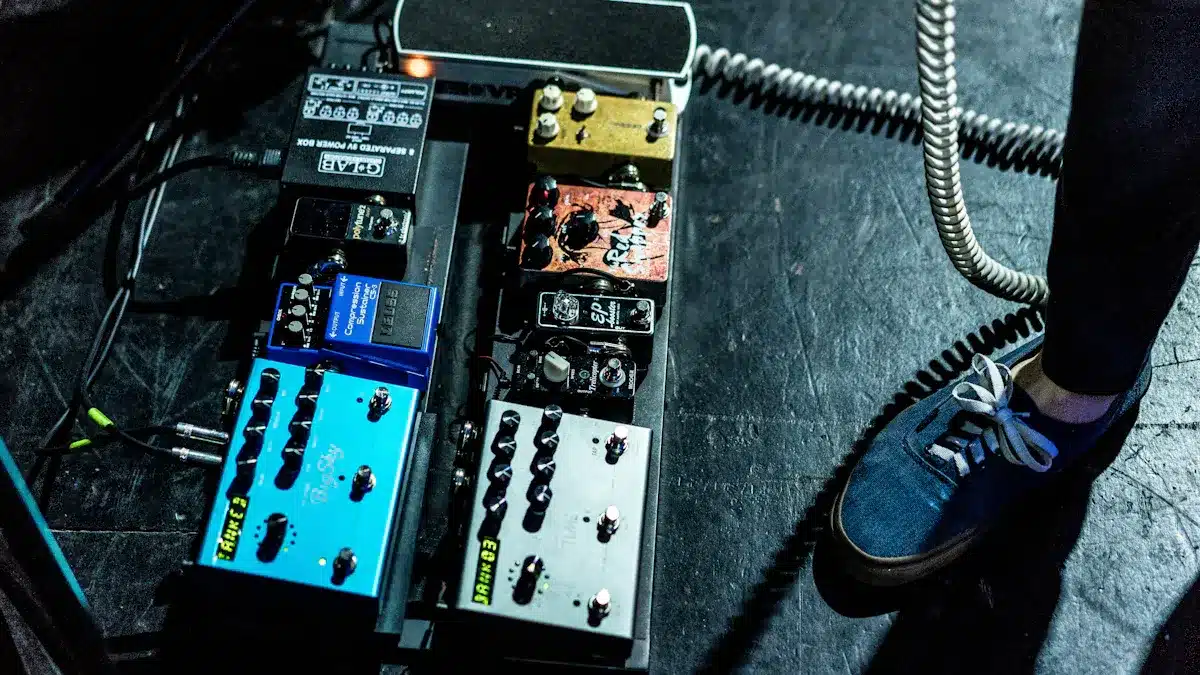
You can choose between two main types of EQ pedals. Graphic EQ pedals use several sliders, each one controls a narrow frequency band. This makes it easy to see and adjust your sound. Many players use graphic EQs on stage to quickly fix feedback or shape their tone. Parametric EQ pedals give you more control. You can change the width of each band, pick the exact frequency, and adjust the gain. This type works well in studios or when you want to fine-tune your sound. Some players find graphic EQs easier to use at first, but parametric EQs offer more options for shaping your tone.
Graphic EQ: Simple sliders, targets set frequencies, great for live use
Parametric EQ: Knobs for frequency, width, and gain, best for detailed sound shaping
Equalizer Guitar Pedal Placement
Where you put your equalizer guitar pedal in your signal chain changes your sound. Some guitarists place the pedal before other effects to shape the basic tone. Others put it after effects to polish the final sound. The Musontek Remeowdel gives you flexibility. You can place it before or after compression, or even try both spots to hear the difference. This pedal works well with other pedals and fits many setups. Try different placements to find what sounds best for your music.
Tip: The Remeowdel’s high headroom lets you use it anywhere in your chain without losing clarity.
Basic Setup Tips
Start with all EQ bands set to the middle. Make small changes and listen closely. Here are some starting points for electric guitar:
Frequency Range (Hz) | What It Does |
|---|---|
80 to 90 and below | Remove mud, avoid flabby sound |
150 to 200 | Adds thickness, use with care |
300 to 1,000 | Adds life, adjust for clarity |
1,000 to 2,000 | Smooths harshness |
3,000 to 8,000 | Adds brilliance and presence |
Small tweaks can make a big difference. Always trust your ears and adjust for your style.
EQ Pedal Tricks
Solo Boosts
You can make your guitar solos stand out by using your equalizer pedal for a boost. Many players increase the volume and clarity of their solos by raising certain frequencies. Try boosting the range from 800Hz to 2.5kHz. This helps your lead notes cut through the mix. You can also add brightness by boosting around 5kHz. These changes make your solos sound clear and lively on stage.
Boost 800Hz–2.5kHz for stronger lead playing.
Add a boost at 5kHz for extra sparkle and articulation.
Raise high frequencies to make your tone shine.
Tip: Use the Musontek Remeowdel’s +15 dB boost per band to dial in just the right amount of lift for your solos.
Mid Bump for Overdrive
You can shape your overdrive sound by adjusting the mid frequencies. Many guitarists use a mid bump to make their overdrive tones more powerful. The area around 800Hz is important for clarity and punch. If you boost this range, your guitar will sound more focused and present. Be careful not to boost too much between 500Hz and 1kHz, or your sound may get boxy.
Sweep the mid knob to find your favorite tone.
Boost mids for a stronger, more defined overdrive.
Scoop mids for a softer, smoother sound.
Different genres use these tricks in unique ways. Rock players often use drive pedals and shape mids for their style. Blues guitarists rely on warm overdrive and smooth mids. Metal players cut certain frequencies for a sharper, aggressive tone.
Cleaning Up Muddy Tones
Sometimes your guitar sounds muddy, especially in a band mix. You can fix this by cutting certain frequencies with your equalizer pedal. The table below shows which ranges to adjust:
Frequenzbereich | Adjustment Description |
|---|---|
250Hz – 500Hz | Cut to reduce muddiness and create space for snare and bass, but avoid excessive cuts. |
800Hz – 1.5kHz | Cut to eliminate nasal tones and enhance aggressiveness. |
2.5kHz – 5kHz | Surgical cut to reduce harshness while maintaining pick attack. |
Always listen to your guitar in the full mix. Use high-pass filters to clean up rumble. Boost in the 3kHz–4kHz range if you want more presence without harshness.
Note: In live settings, roll off low-end below 100Hz to avoid boominess. Scoop around 300–500Hz and boost 1.5–2.5kHz to help your guitar stand out.
Pickup and Amp Emulation
You can use your equalizer pedal to mimic different pickups or amp sounds. Place the pedal before your amp to change the character of your guitar. Scooping mids can make a humbucker sound more like a single-coil pickup. Boosting treble adds clarity and sparkle. Cutting bass tightens your tone, while boosting bass can make your amp respond more aggressively.
Simulate different pickups by adjusting EQ before the amp.
Scoop mids for a brighter, more open sound.
Boost treble for extra clarity.
Cut bass for a tighter tone or boost bass for a heavier sound.
Try experimenting with these settings to match the sound of your favorite guitar or amp. The Musontek Remeowdel’s analog clarity helps you get authentic results.
Creative EQ Effects
Cocked Wah Sounds
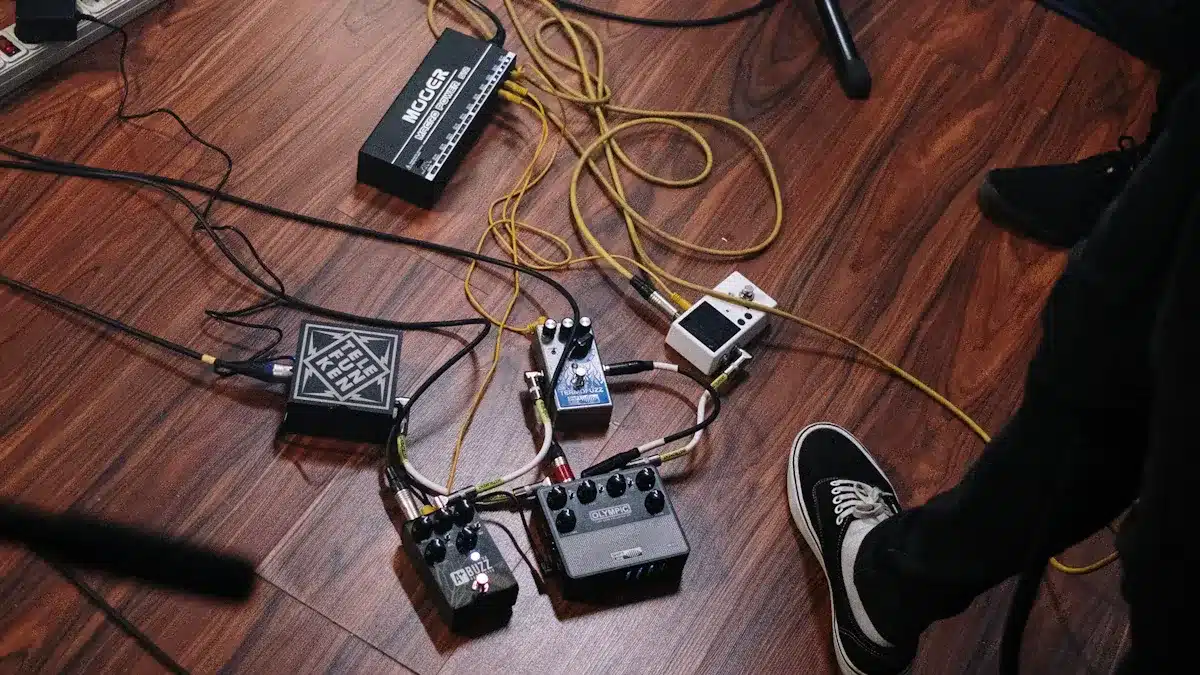
You can use your equalizer guitar pedal to create a cocked wah effect. To do this, boost a narrow band in the upper mids, usually around 1kHz to 2kHz, and cut the frequencies outside that range. This trick mimics the sound of a wah pedal left in one position. Your guitar will sound focused and sharp, perfect for solos or funky rhythm parts. The Musontek Remeowdel’s smooth controls make it easy to find the sweet spot for this effect.
Lo-Fi and Vintage Tones
If you want your guitar to sound old-school or lo-fi, try cutting both the bass and treble bands while leaving the mids higher. This setting makes your guitar sound like it is coming from a vintage radio or an old record. You can also stack the Remeowdel with other pedals to push this effect further. The pedal’s analog circuitry keeps your tone warm and musical, even when you use extreme settings.
Experimental Filtering
You can get creative with filtering by using the Remeowdel’s +15 dB boost per band. Here are some ideas:
Boost the mids and cut lows and highs for a cocked wah or telephone effect.
Stack two EQ pedals to create unique sounds, such as a mid boost with one and a high-pass filter with the other.
Use the pedal before overdrive or fuzz to change how those effects respond.
Merkmal | Beschreibung |
|---|---|
Maximum Gain per Band | +15 dB |
Signal Enhancement | Strengthens signal, enhances clarity, and increases subjective loudness. |
Frequency Restoration | Restores brightness and adds deeper low frequencies, enhancing dynamics. |
The Musontek Remeowdel gives you the power to shape your sound in new ways. Try different settings and listen to how your guitar changes in the mix.
EQ and Effects
Stacking with Distortion
You can change your guitar sound by using your EQ pedal with distortion. Put the Musontek Remeowdel before your distortion pedal. This lets you pick which frequencies go into the distortion first. If you boost mids before distortion, your sound gets punchy and focused. Cutting bass before distortion keeps your tone tight. It also stops your sound from getting muddy. If you put the EQ after distortion, you can fix your final sound. Boost treble after distortion for more bite. You can also cut harsh sounds for a smoother tone.
Tip: Try boosting the mid band on the Remeowdel before your distortion pedal. This trick makes your solos stand out when you play live.
Here is a quick guide:
EQ Placement | Ergebnis |
|---|---|
Vor der Verzerrung | Shapes gain, adds focus |
After Distortion | Polishes tone, adds clarity |
Try both ways and see what you like. Listen to how your guitar sounds with a band.
Combining with Modulation
You can use your EQ pedal with effects like chorus, phaser, or flanger. Put the Remeowdel before modulation to shape your sound before the effect. Boosting highs before a chorus pedal adds shimmer. Cutting lows before a phaser keeps your sound clear. If you put the EQ after modulation, you can change the whole effect. Boosting mids after a flanger helps your guitar stand out.
Shape your sound before modulation for cool textures.
Adjust your EQ after modulation for a smooth finish.
Note: The Remeowdel’s analog clarity keeps your sound real, even with lots of effects.
Try different setups to find what you like best. Listen carefully and trust your ears.
Häufige Fehler
Over-EQing
You might think that more EQ means a better sound, but too much can hurt your tone. Over-EQing happens when you boost or cut frequencies too much. This mistake can make your guitar sound harsh or even tiring to listen to. You may notice that your guitar starts to lose its natural character. The mix can become crowded, and other instruments might get lost. Here are some problems that come from over-EQing:
You introduce harsh frequencies that cause listening fatigue.
These frequencies can mask other instruments, making the mix less clear.
Your guitar tone may sound boxy, honky, or muddy.
Tip: Start with small changes. Listen to your guitar with the band before making big adjustments. Trust your ears and keep your sound natural.
Ignoring the Band Mix
You play guitar, but your sound must fit with the whole band. If you only focus on your solo tone, you might miss how your guitar blends with drums, bass, and vocals. Ignoring the band mix can make your guitar too loud or too quiet. Sometimes, you boost frequencies that clash with other instruments. This can make the music sound messy.
Mistake | Ergebnis |
|---|---|
Not listening to band | Guitar gets lost or stands out too much |
Boosting wrong bands | Clashes with drums or vocals |
You should always check your EQ settings with the full band. Play with others and adjust your pedal so your guitar supports the song. Your tone works best when it fits the mix.
You can control your guitar sound with an equalizer pedal. The Musontek Remeowdel helps you change frequencies and match guitars. It also makes your sound clearer. Try using presets to get started. Trust what sounds good to you. Listen to your guitar with other instruments. Begin with small changes and try new ideas. Your EQ pedal helps you play better every time.
Best Practices for EQ Pedals | Beschreibung |
|---|---|
Use presets to begin | Find a good sound fast |
Trust your ears | Pick what you like best |
Listen with the band | Make your guitar fit in |
Make solos louder by boosting mids.
Copy old-school sounds with smart EQ settings.
FAQ
How do you set up the Musontek Remeowdel for live shows?
Start with all knobs at noon. Adjust bass, mid, and treble until your guitar sounds clear and fits the band mix.
Can you use the Remeowdel with other pedals?
Yes, you can place it before or after effects like distortion or modulation. Try different spots to find your favorite sound.
What makes analog EQ pedals like the Remeowdel special?
Merkmal | Nutzen Sie |
|---|---|
Analog Circuit | Natural, warm tone |
Echte Umgehung | Pure signal path |



