



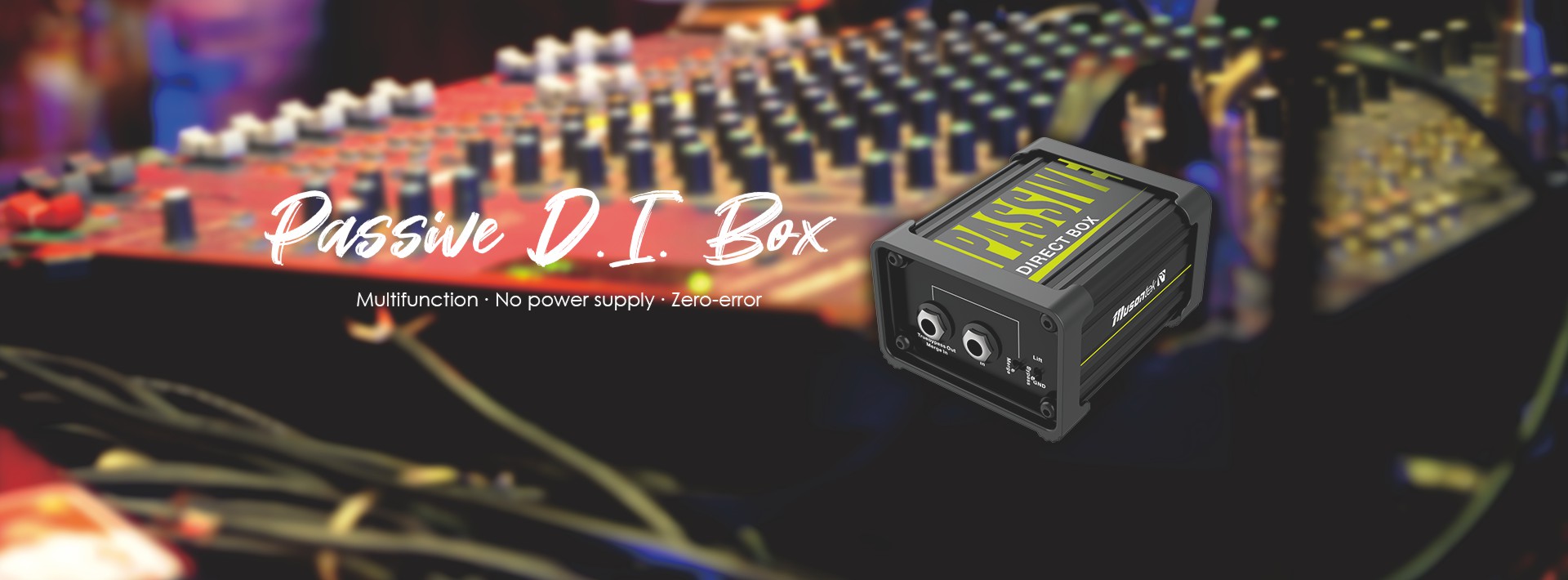
Yes, you can use a passive DI-Box in reverse, but you need to watch out for a few important things. Picture this: you want to run your mixer’s output into a guitar amp or maybe send vocals through your pedalboard. You have to know the risks and technical limits before you try it. The Passive DI Box PD1L from Musontek gives you reliable performance for these creative setups. You may have also heard of the Passive DI Box PD1X, which works in similar ways.
Wichtigste Erkenntnisse
You can use a passive DI box backwards. This lets you connect a mixer output to a guitar amp or pedalboard. Be careful with signal levels so you do not get distortion.
Only use a passive DI box for this. Active DI boxes can break if you use them backwards.
Make sure your gear matches impedance. This helps stop signal loss or distortion when using a passive DI box backwards.
Use the pad switch on your DI box. It lowers the signal if it is too strong for your amp. This helps keep the sound clean.
For better results, try a reamp box instead of a passive DI box backwards. A reamp box is made for this job and is safer.
How a passive DI box works
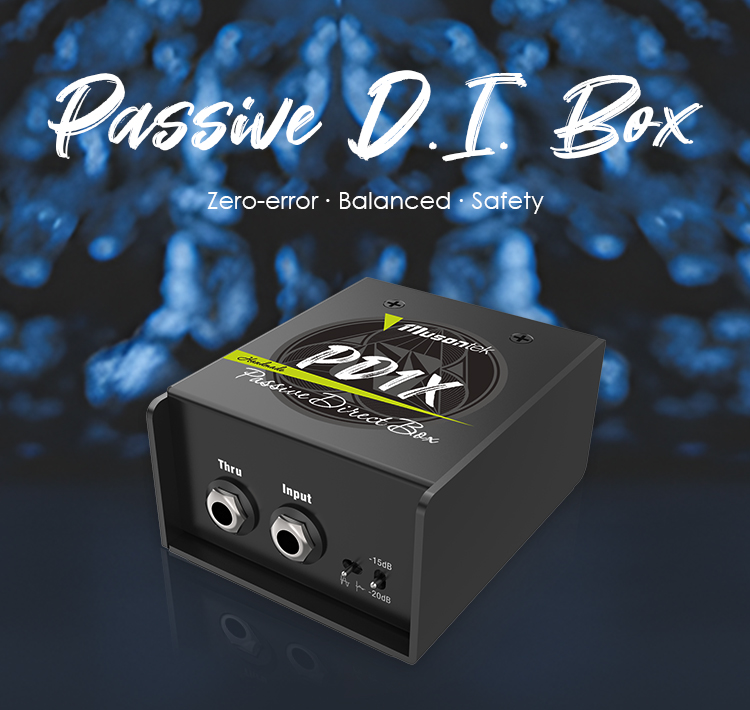
Signal conversion basics
You might wonder what a passive DI box actually does. When you plug your guitar or keyboard into a mixer, you need to change the signal so it travels cleanly and safely. The Musontek PD1L makes this easy for you. Here’s how it works:
The PD1L gives you clear and accurate sound, whether you play live or record in a studio.
You get audio isolation, which helps stop unwanted noise, hum, and interference.
Your sound stays pure and true, so your music always shines.
Let’s break it down even more. A passive DI box like the PD1L does three main things:
It converts your unbalanced, high-impedance instrument signal into a balanced, low-impedance signal.
It reduces noise, hum, and signal loss, especially when you use long cables.
It works without batteries or power adapters. The transformer inside does all the work for you.
You just plug in and play. The transformer inside the passive DI box keeps your sound clean and strong.
What changes when used in reverse
Now, what happens if you flip things around and use a passive DI box in reverse? You might want to send a balanced signal from your mixer into a guitar amp or pedal. The transformer-based design in the PD1L helps you do this. Here’s what you need to know:
The transformer lets you connect a balanced output to an unbalanced input.
You can supply a balanced signal into gear that expects an instrument-level signal.
This design helps you avoid problems with mismatched signals, so your audio stays smooth.
Using a passive DI box in reverse isn’t magic, but the transformer inside makes it possible. You get flexibility for creative setups, and you can experiment with different connections without worrying too much about noise or signal loss.
Using a passive DI box in reverse

Step-by-step connection guide
So, you want to try something creative with your gear. Maybe you want to send a balanced signal from your mixer or audio interface into a guitar amp or pedalboard. You can do this with a passive DI box. Here’s how you can set it up:
Start with your mixer or interface. Set the output level to unity gain. This means you keep the signal clean and strong.
Use a 1/4″ TRS cable to connect the output of your mixer or interface.
Plug the other end of the cable into a 1/4″ TRS to XLR adapter. This lets you connect to the XLR input on your passive DI box.
Take a standard instrument cable and connect it from the “To amplifier” or “Output” jack on the DI box to your guitar amp or pedal.
If you want the best sound, try re-miking your amp after you connect everything. This helps you capture the true tone.
Tipp: Sometimes, you need to keep the output level from your interface low. This helps you avoid sending too much signal into your amp.
You might find a male-to-female XLR adapter handy when you connect the DI box in reverse. This makes the setup easier and keeps your cables neat.
Safety tips and common mistakes
Using a passive DI box in reverse can be fun, but you need to watch out for a few things. Here are some tips to keep your gear safe and your sound clean:
Always use a passive DI box for this trick. Active DI boxes need power and can get damaged if you use them backward.
Watch your signal levels. When you use a passive DI box in reverse, the signal can get too strong for your amp. This can cause distortion or even damage your gear.
If your signal is too hot, use the pad switch on your Musontek PD1L. The pad switch lowers the signal by about -20dB. This keeps your amp safe and your sound clear.
The ground lift switch is your friend. If you hear hum or buzz, flip the ground lift switch. This breaks ground loops and cuts down on noise.
Don’t forget to check your cables. Loose or faulty cables can cause crackling or signal loss.
Anmerkung: The Musontek PD1L has both a ground lift and a pad switch. These features help you manage noise and signal levels, making your setup smoother.
Here are some common mistakes people make:
Sending a line-level signal straight into a guitar amp without lowering the volume. This can overload the amp and make your sound harsh.
Forgetting to use the pad switch when the signal is too strong.
Not using the ground lift switch when there is hum or buzz.
Using an active DI box in reverse. This can damage the box or your gear.
If you follow these steps and tips, you can safely use your passive DI box in reverse for all kinds of creative setups.
Limitations and risks
Impedance and signal loss
When you use a passive DI box in reverse, you need to think about impedance. Impedance is like a gatekeeper for your signal. If the signal’s impedance does not match the input of your amp or pedal, you might run into problems. Sometimes, your sound gets weaker or even distorted. You could lose some of the punch and clarity you want.
Here’s a quick look at what can happen:
Key Point | Erläuterung |
|---|---|
Impedance Compatibility | Your signal needs to match the device’s impedance for the best performance. |
Signal Issues | If they don’t match, you might hear signal loss, distortion, or dull sound. |
Gain Boost | Sometimes, you get a gain boost, which can make your sound too loud. |
Transformer Saturation | The transformer inside the DI box can get overloaded, making your sound muddy or unclear. |
You should always check your gear’s specs before you connect things in reverse. If you notice your sound changing in a bad way, try lowering the output level or using the pad switch on your DI box.
Noise and ground loop issues
Noise can sneak into your setup when you use a passive DI box in reverse. You might hear buzzing, humming, or other unwanted sounds. Ground loops are a common cause. These happen when your gear creates more than one path to ground, which lets electrical energy travel in circles and makes noise.
Here are some problems you might face:
Buzzing from multiple grounding paths.
Hum caused by ground loops, especially when you use extra devices like tuners.
Phantom power from mixers can add noise if you don’t block it.
Grounding issues can be tricky to fix.
You can fight noise with a few smart moves:
Use the ground lift switch on your DI box to break ground loops.
Try a noise gate to mute your signal when you’re not playing.
Add an isolator to your setup to stop ground loops.
Use noiseless pickups or modern gear to keep things quiet.
If you ever hear a hum, flip the ground lift switch. Many musicians solve ground loop problems this way. You can keep your sound clean and enjoy your creative setup.
When to use this method
Practical scenarios
You might wonder, “When should I actually use a passive DI box in reverse?” Here are some real-life situations where this trick comes in handy:
Sending a mixer output to a guitar amp: Maybe you want to run your backing tracks or vocals through your guitar pedals or amp. You can use a passive DI box in reverse to make this connection work.
Reamping in the studio: If you recorded a clean guitar track and want to send it back through your pedals or amp for a different sound, this method helps you get that classic tone.
Creative sound design: Sometimes, you want to experiment. You might want to run a drum machine or synth through a pedalboard. Using a passive DI box in reverse lets you try new sounds without buying extra gear.
Live performance setups: You can use this trick to connect balanced outputs from your audio interface to stage amps or effects, giving you more control over your live sound.
Tipp: Always check your signal levels before you connect everything. Start with the volume low and increase it slowly. This keeps your gear safe.
Here’s a quick table to help you decide:
Szenario | Should You Use It? |
|---|---|
Reamping guitar tracks | ✅ |
Sending vocals through pedals | ✅ |
Connecting synths to amps | ✅ |
Plugging headphones into a DI | ❌ |
When to avoid it
You should skip this method in some cases. Here’s when you might want to look for another solution:
Active DI boxes: Never use an active DI box in reverse. You could damage your gear.
High-power signals: If you need to send a speaker-level signal, don’t use a DI box in reverse. It’s not built for that.
Critical audio quality: If you need perfect sound with no loss or noise, a reamp box or proper adapter works better.
Phantom power present: If your mixer sends phantom power, avoid connecting it to your amp or pedals through a DI box.
If you feel unsure, ask a sound engineer or check your gear’s manual. It’s always better to play it safe!
Alternatives to using a passive DI box in reverse
Reamp boxes and adapters
Sometimes, you want to send a signal from your audio interface or mixer back into a guitar amp or pedal. You might think about using a passive DI box in reverse, but there are other tools that do this job even better. Reamp boxes and special adapters can help you get the sound you want without the risks.
A reamp box is made for this exact purpose. It takes a balanced, line-level signal and changes it into an unbalanced, instrument-level signal. This means your guitar amp or pedal gets the right kind of signal, and you avoid problems like noise or signal loss. You just plug your balanced output into the reamp box, then connect the output to your amp or pedal. It’s simple and safe.
Adapters can also help, but you need to pick the right one. Some adapters only change the connector type, not the signal level or impedance. If you use the wrong adapter, you might get a weak or noisy sound. Always check what your gear needs before you choose an adapter.
If you want the cleanest sound and the least trouble, a reamp box is your best friend for this job.
Choosing the right tool
Picking the right tool for routing signals between balanced and unbalanced devices can feel tricky. You want your sound to stay clear and strong. Here are some things you should look for:
Noise Reduction: Balanced cables help keep noise out of your signal. You get a cleaner sound, even with long cables.
Common-Mode Rejection: Balanced gear can block out unwanted noise, which keeps your audio true.
Device Specifications: Always check what your devices need. Some gear works best with certain types of signals.
When you choose a DI box or reamp box, think about these factors:
Active vs Passive: Active DI boxes work well with low-impedance pickups. Passive DI boxes are great for high-impedance sources.
Sound Preference: Passive DI boxes give you a rounder tone. Active DI boxes sound brighter and clearer.
Impedance: Look for a DI box with high input impedance if you use passive pickups.
Transformer Quality: A good transformer keeps your sound pure.
Ground-Lift Feature: This helps you get rid of hum and buzz.
Thru Socket: This lets you send your signal to an amp and a mixer at the same time.
Take your time and match your gear to the right tool. You’ll get better sound and fewer headaches.
You can use a passive DI box in reverse, but it’s not always the perfect fit. You need to know the limits and check if a reamp box might work better. The Musontek PD1L stands out for its strong specs:
Merkmal | Beschreibung |
|---|---|
Dynamischer Bereich | 128dB, handles high signals without distortion |
Frequenzgang | ±0.3dB from 20Hz-20kHz, keeps your sound clear |
Eingangsimpedanz | 10kΩ, works with many sources |
Zusammenführungsmodus | Great for complex live setups |
Transformer Isolation | Cuts down on noise in tough environments |
Many musicians ask about the difference between DI and reamp boxes. Experts say impedance matters, so always match your gear. Want to share your setup or have a question? Drop a comment below!
FAQ
Can you damage your gear by using a passive DI box in reverse?
You usually stay safe if you use a passive DI box like the Musontek PD1L. Just watch your signal levels. If you send a loud signal into a sensitive amp, you might cause distortion or damage.
Do you lose sound quality when using a DI box in reverse?
You might notice a slight change in tone or volume. The signal can get weaker or a bit dull. For most creative uses, you probably won’t mind. If you want perfect sound, try a reamp box.
What cables do you need for this setup?
You need a balanced XLR cable for the mixer or interface side. For the amp or pedal, use a standard 1/4″ instrument cable. Sometimes, you need an XLR adapter to make the connection work.
Tipp: Always double-check your cable connections before you power up your gear.
Can you use an active DI box in reverse?
No, you should not use an active DI box in reverse. Active DI boxes need power and can get damaged if you connect them backward. Stick with passive DI boxes for this trick.



